Worktrees and branches
Every piece of work and every helper has its own worktree, so agents never step on each other or on you.
Ethlin writes code too. Each piece of work gets its own branch, checks run on it, and nothing lands until you approve it.
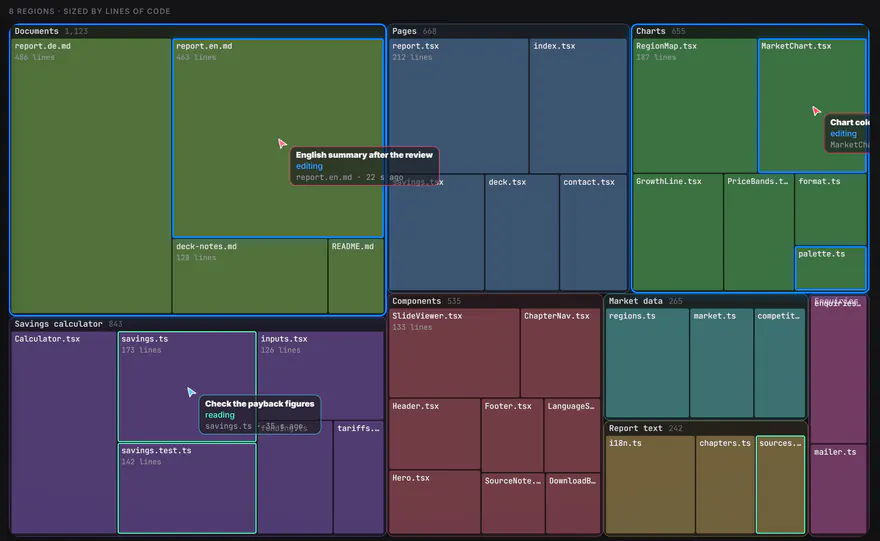
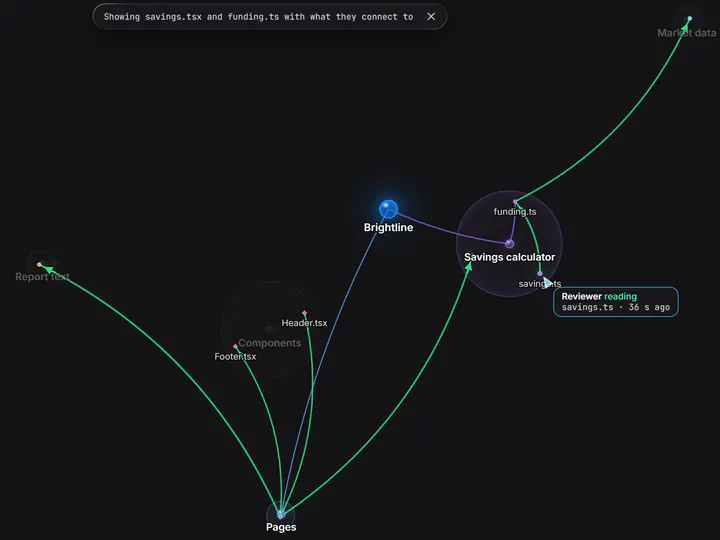
Agents ask the map before they search.
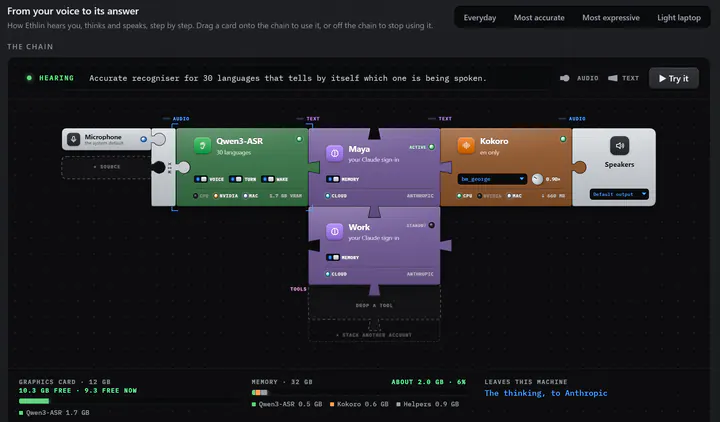
Microphone, recogniser, model and voice, joined like bricks.
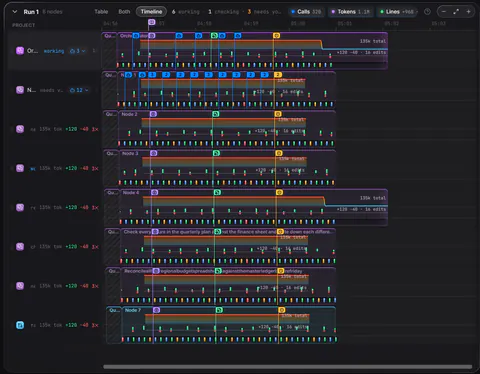
Tokens and minutes per agent, live.
You plan with one chat. Everything after that happens on branches, and nothing lands without your yes.
The chat you plan with stays in your main checkout and changes nothing there. It shows you a plan and how it splits the work, and waits for your go.
Each part you would approve on its own becomes a piece of work, in its own git worktree, on its own branch. A piece can start helpers on branches of its own.
Ethlin runs your project's checks on each piece. A failing check goes back to the agent that wrote the code.
Large or risky work is checked before you approve it. More than 300 changed lines, or a change to the database, credentials, accounts or git, gets a second reading.
Approved work collects on one integration branch, so your own checkout is never touched. Ship keeps it local, pushes it, opens one pull request, or merges it when there is no remote.
A follow-up goes to the agent that built the piece, in its own conversation, instead of a new one reading everything again.
With developer features switched on.
Every piece of work and every helper has its own worktree, so agents never step on each other or on you.
What each branch changed, as red and green diffs, before you approve it.
A map of your code drawn by a plain program, no AI: dependencies, structure, layers, history, and which agent is reading or editing what, in 2D or 3D.
Live previews of what is being built, and embedded terminals beside the chat.
The Ethlin Engine, Ethlin's own agent runtime, runs every model, with a key or with the AI in your plan: its own coding tools, prompt caching, condensing of long conversations, and resuming where a session stopped. Connect any model
A skill is a folder with a SKILL.md, the format Claude Code and Codex also read, so the skills you already have work unchanged.
Ethlin is built inside Ethlin. A few sentences from the people who make it, about working this way every day.
Join the beta, and Ethlin shows you around when it opens.
Available from 2 November 2026 · macOS · Windows · English · Deutsch
We use your address only to write to you about Ethlin. Privacy policy