Say it. See it. Build it.
Talk through an idea and Ethlin draws it while you speak: org charts, timelines, diagrams and tables. Add images, PDFs and videos, and have it present the board back to you in its own voice. When it looks right, ask it to build it, and a team of agents takes over.
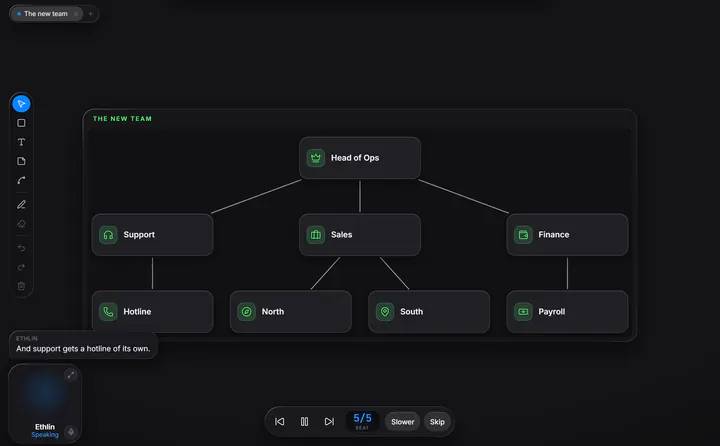
What it draws.
Ask how something works, and the picture builds up one shape at a time, each said before it is drawn. A ring shows what it is talking about, and you can draw on the same board.
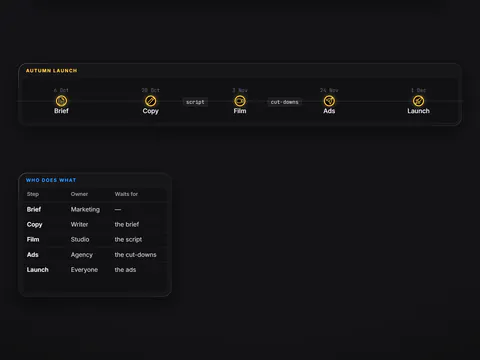
A launch plan
From October to December, with what depends on what.
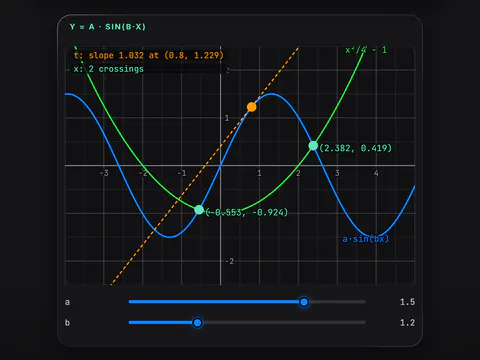
Maths you can move
Curves written in terms of sliders. Drag one, or let it move while it explains.
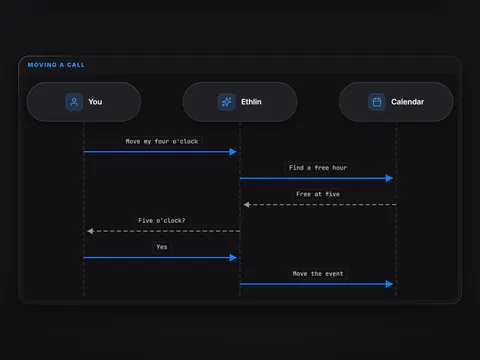
Who talks to whom
Sequence diagrams, flows, cycles and state machines, with a light that walks the path.
- Flows and trees
- Timelines
- Tables and grids
- Charts and plots
- 3D surfaces
- Venn overlaps
- Code
- About 250 icons
Your files on the board.
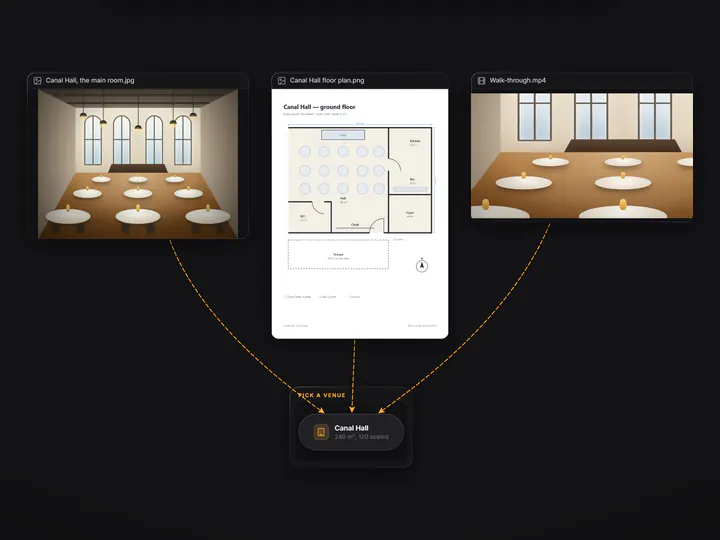
Drop in pictures, documents and videos of any size. Arrange them as a row, a ring, a grid or a side-by-side comparison, join them to the rest, and look inside.
Pictures can come from your own files, a web address or Wikimedia Commons, with numbered labels on them. Plans are saved as ordinary files in your project: open one next week, or have the assistant present it to you again, with play, pause and step.
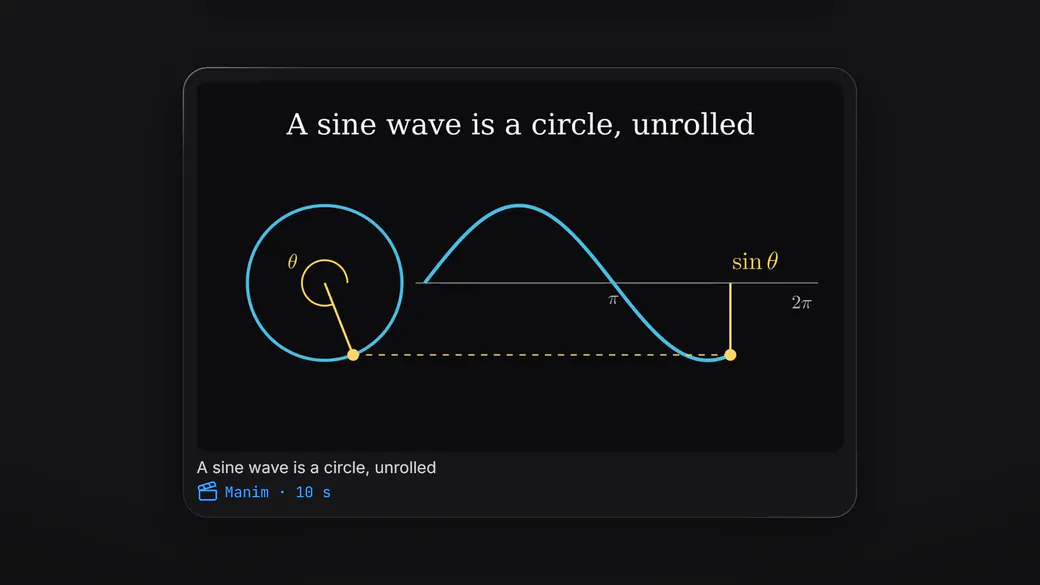
A lesson, as a film.
Type a topic and Ethlin Studio makes a short animated tutorial about it, maths in the style of 3Blue1Brown, narrated in the assistant's voice.
Then build it.
When the board looks right, ask Ethlin to build it. It shows you how it would split the work, waits for your go, and gives each part to an agent with the skills that part needs.
You approve each piece once, when it is ready. Large or risky work is checked before you approve it.
How the agents work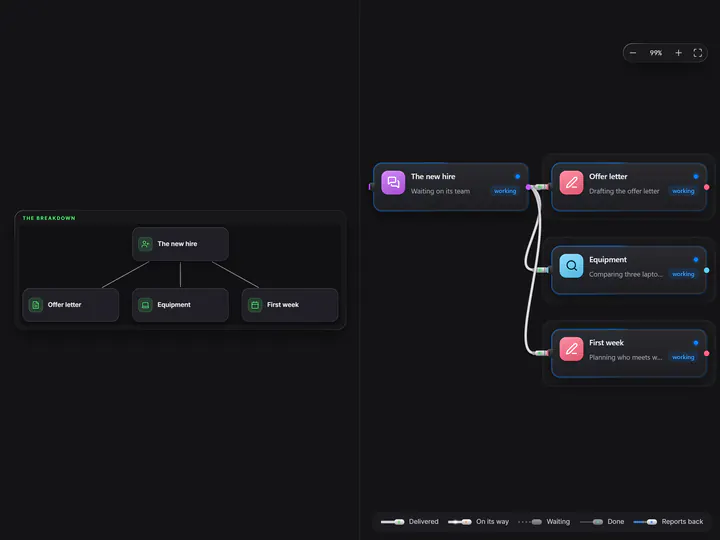
Ready when you are.
Join the beta, and Ethlin shows you around when it opens.
Available from 2 November 2026 · macOS · Windows · English · Deutsch
We use your address only to write to you about Ethlin. Privacy policy