Follow-ups go to the agent that built it
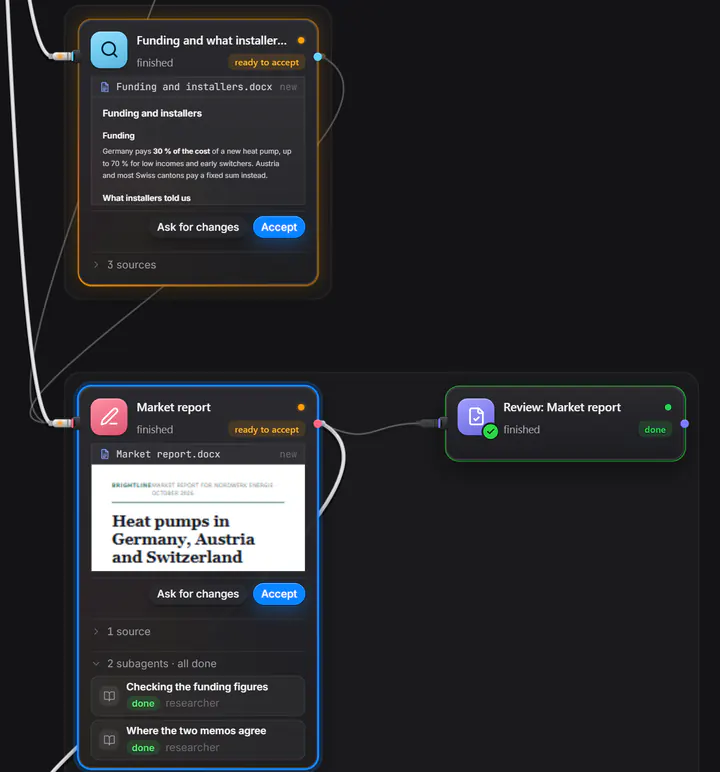
Want a change to something already done? The agent that built it carries on in its own conversation, instead of a new one reading everything again. The change is checked and approved like the first time.
An assistant you talk to, a team of agents behind it, and your mail, calendar, files, meetings and reminders beside them. Here is what each part does, and what it does not do yet.
Ethlin splits the work into pieces and gives each one to an agent with the skills it needs: writing, research, analysis, design, organising. Large or risky work is checked before you approve it, and you approve once.
Each agent works in its own conversation, which you can open and join at any time. On the board you see who is working on what, what it costs, and what needs you. Only the chat you plan with ever asks you anything.
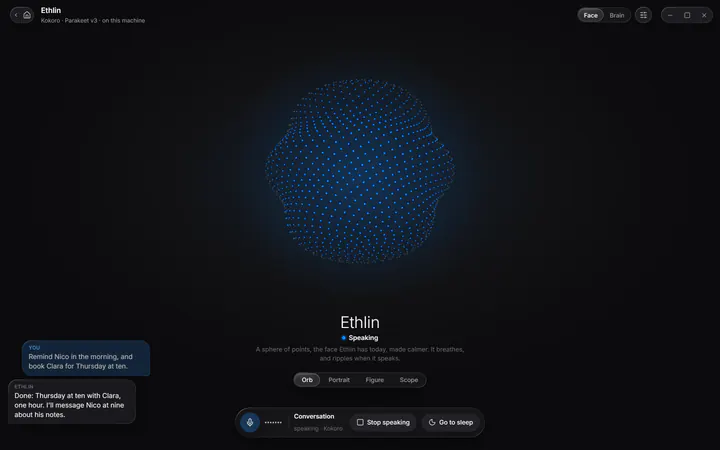
Give the assistant a name and choose its voice, or let it speak in a voice you record. Hold a key to talk, or switch on a wake word and say "Hey" and its name.
Hearing runs on your computer, and so does speaking, unless you choose a cloud voice. Talk over it at any time and it stops to listen. It keeps listening between replies until you say "that's all", and it can point at the setting you are asking about instead of describing it.
Reels, promos, adverts and explainers, built from a timeline of shots and rendered on your own machine. Ask the assistant for one, or give it to an agent.
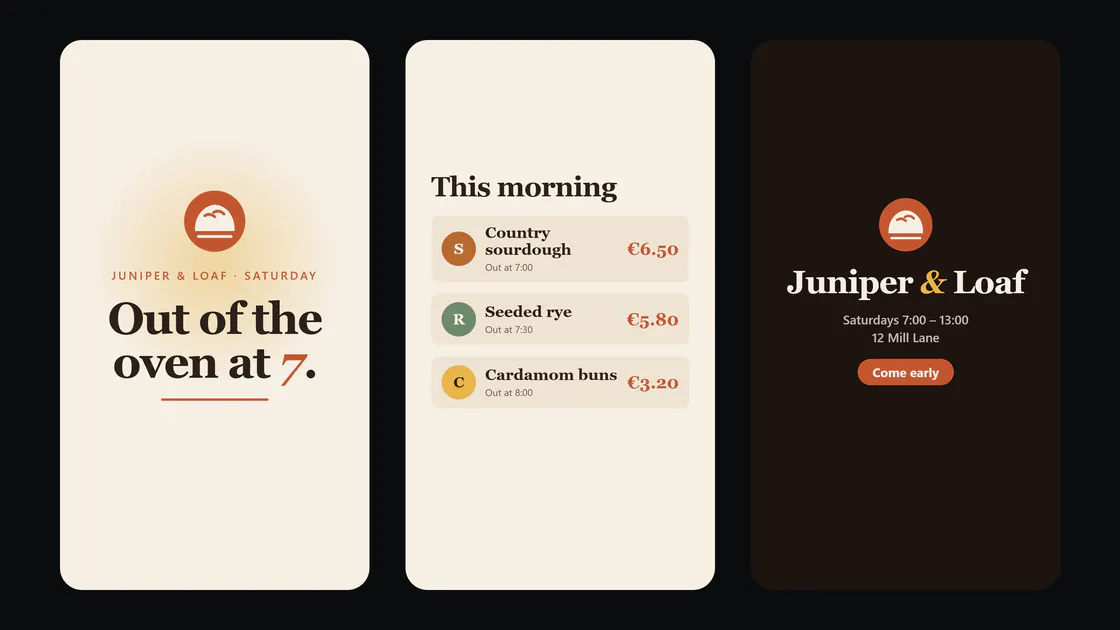
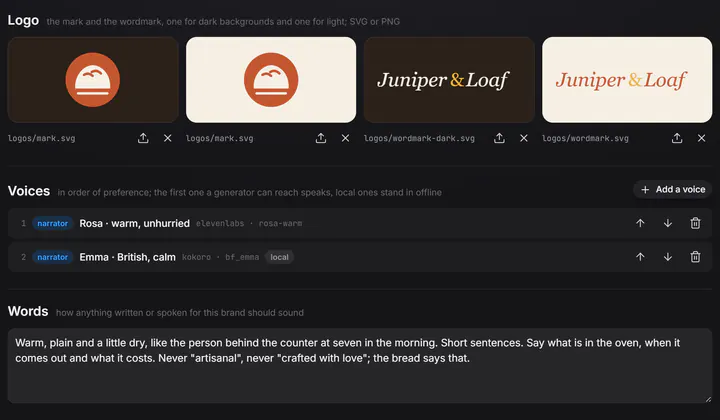
Nothing in it is AI-generated footage: every shot is drawn, filmed from a page, or yours. Studio is a plugin; install it from Settings, and it fetches everything it needs.
Ideas and to-dos go into Tasks, by voice, by typing or from Telegram, and an agent works through them.
Tasks has a backlog, work in progress and done, with priorities and a history for each task. Routines are work on a schedule: daily, on weekdays, weekly, every few minutes or once. Each run is a real agent, and you get a reminder with the result. Routines run while the app is open; a missed one catches up at the next start.
What the assistant and the agents learn is kept as plain notes on your disk, filed by topic and linked like a map you can read.
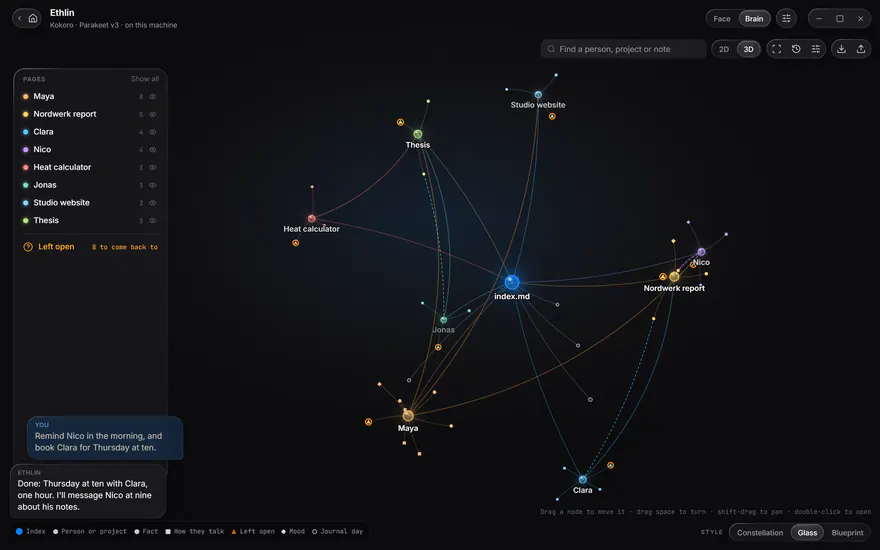
The notes are ordinary files, and they also open in Obsidian. Check what it believes, correct it, or make it forget.
Each project keeps what its agents learned, a brief every agent reads before it starts, and a journal of each finished board.
People, projects and open threads: the assistant remembers what you told it last week, and what was left open.
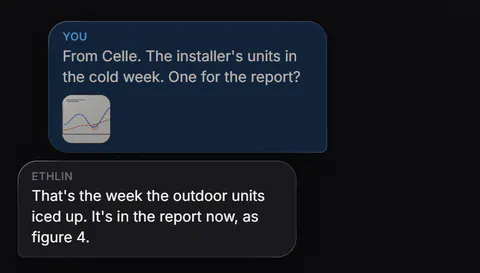
Pair a private Telegram bot and write to the assistant from anywhere. Send it pictures, documents, voice notes and audio; it looks at them, reads them, and transcribes them on your computer at home.
Answers come back as text. When you ask, it sends files back to your phone. It can forward your reminders too. Only your paired chat gets answers. Files up to 20 MB reach it.
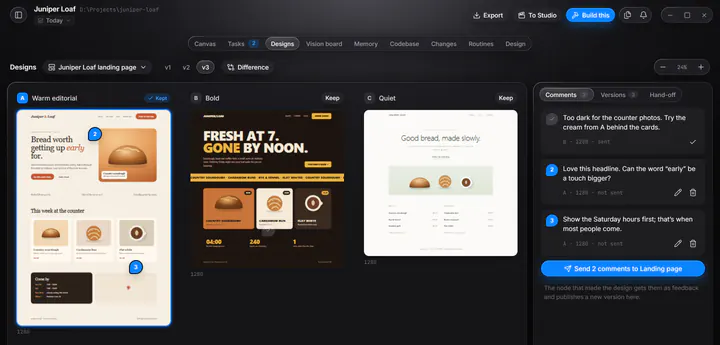
A landing page, a one-pager, a poster or a slide. An agent designs it in your project's look, checks it in a real browser at phone and desktop size, and lays its variations out side by side for you.
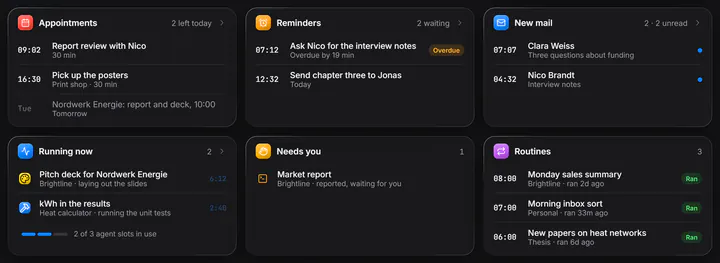
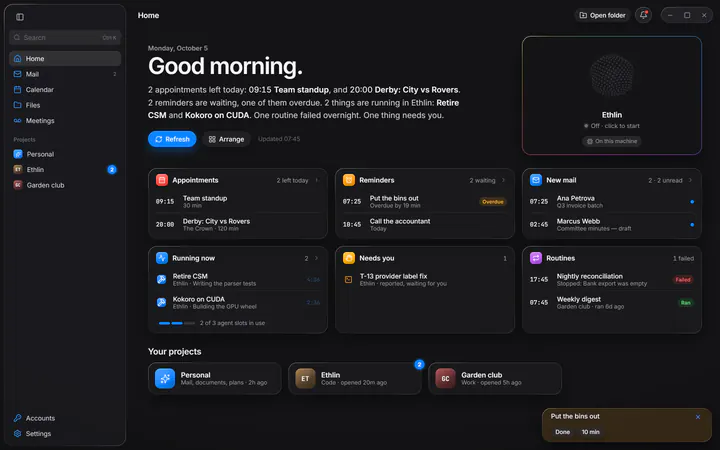
Appointments, reminders, new mail, what is running, what needs you, and your routines, next to your projects.
Hide the cards you do not need and drag the rest into your order. Ask "What's on today?" and the assistant reads you a morning brief.
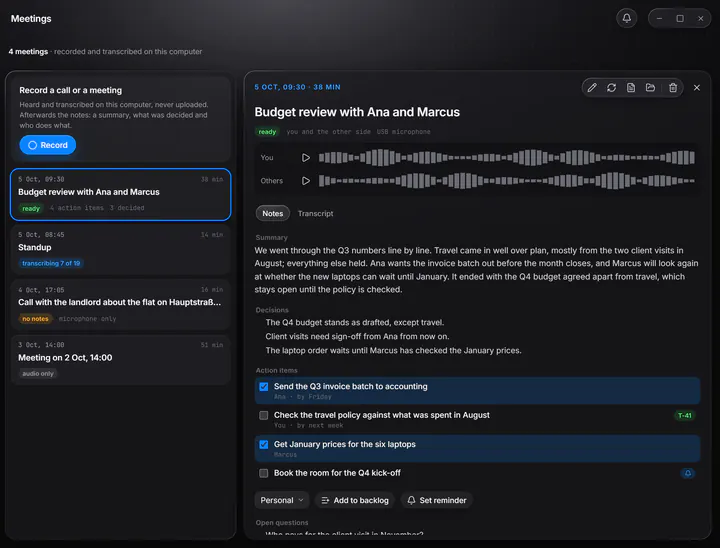
Record a call or a meeting in the room. It is recorded and transcribed on your computer, and only the transcript goes to your model, to write the summary, decisions and action items.
Only Windows records the other side of a call; on a Mac, only your microphone.
Want a change to something already done? The agent that built it carries on in its own conversation, instead of a new one reading everything again. The change is checked and approved like the first time.
Outlook, Gmail, iCloud or any IMAP mailbox; Outlook and iCloud calendars; OneDrive as a full file manager. The assistant reads, sorts and drafts. Sending mail, changing your calendar and saving, deleting or sharing files always ask you first.
Point Ethlin at folders on your computer. PDF, Word, Excel, PowerPoint and text files are indexed for search, and the assistant and agents can find and read them.
AI included with your plan, or your own key for Claude, OpenAI or Gemini, or a local model through Ollama or LM Studio. Every agent shows which model it runs on. Connect any model
Ask where a setting is, and it takes you there and lights it up. A guided tour of the whole app in six chapters waits while you try things.
Set by you, the assistant, an agent or a calendar event. When one is due it stays on screen until you answer, and it can chime, speak, or go to your phone.
Join the beta, and Ethlin shows you around when it opens.
Available from 2 November 2026 · macOS · Windows · English · Deutsch
We use your address only to write to you about Ethlin. Privacy policy